Installation
Five minutes: the app, the addon and one connection check.
Windows may warn you — that's normal
When you first run the installer, Windows may show “Windows protected your PC”. This happens with every new app that doesn't have a paid code-signing certificate: Windows simply doesn't know the file yet. Click “More info” → “Run anyway”. You'll see it only once — after that the app starts normally.
You can check the installer yourself: VirusTotal report.
What is VirusTotal, and why are there a few detections?
VirusTotal is a free Google service: a file is scanned by 70+ antivirus engines at once, and anyone can open the result. Our installer has been scanned there: almost all engines find no threats, including Kaspersky, Microsoft Defender, ESET, Dr.Web, Avast and Bitdefender.
The occasional hits come from corporate systems (such as Arctic Wolf or Deep Instinct) that don't look for a specific virus but “guess” by general traits: a new file, no paid code-signing certificate, a packed installer. Almost every new small app fits that description, and such hits usually disappear as more people download the app.
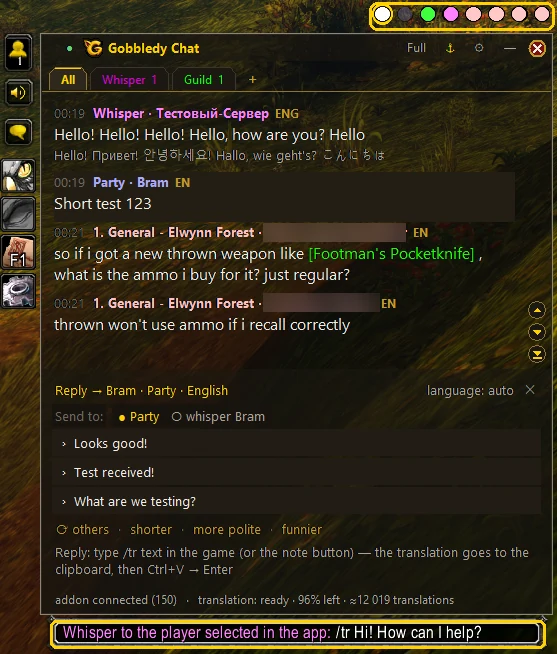
The app doesn't read game memory, never presses keys or sends messages for you: it only looks at the addon's strip on screen and puts the translation on the clipboard.
Only download the installer from gobbledychat.com.
Install the app
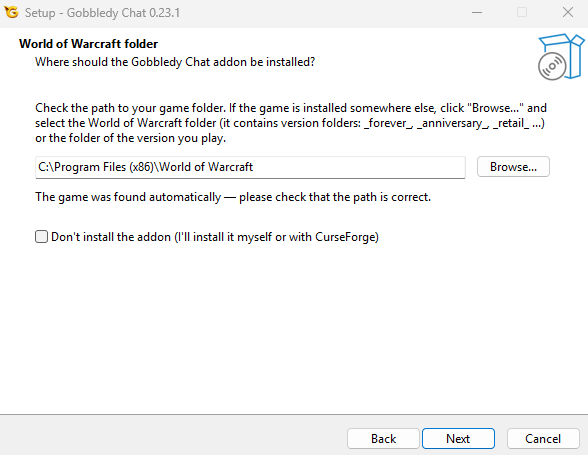
Download the installer and run it (about the Windows warning — see above). The installer suggests your game folder, asks for the game version if there are several, and installs the addon for you — check the path. The app appears in the Start menu and on the desktop.
Check the addon
The installer sets up the addon. If you skipped it, copy the
GobbledyChatfolder from the app folder (theAddOnsubfolder) to<game folder>\<version>\Interface\AddOns(for WoW Forever it's_forever_), or install the addon with CurseForge. On the character selection screen open AddOns and make sure Gobbledy Chat is enabled.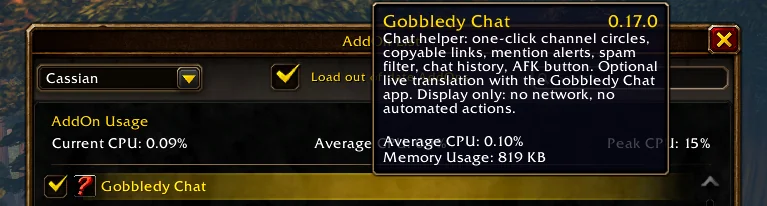
Switch to windowed mode
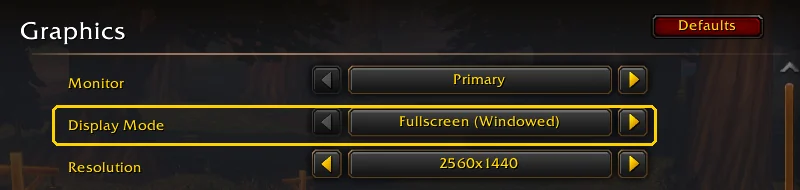
In the game: Esc → Options → System: Graphics → Display Mode → “Fullscreen (Windowed)”. Then the app can see the addon's strip and stay on top.
Enter your code
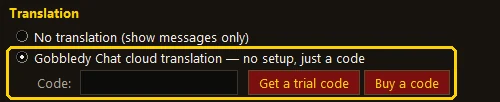
Start the app, open the gear → Translation → Gobbledy Chat cloud translation. Press “Get a trial code” or paste a purchased code, then Save.
Check the connection
Type
/gc testin the game chat. Two test messages appear in the app window, and “addon connected” at the bottom.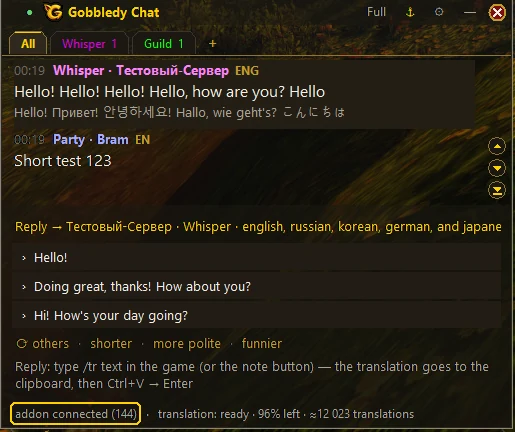
Reply
Click a message in the app or a player's name in the game chat to choose who you're talking to. Then click a channel circle above the chat box (it opens with
/tralready typed), write your reply in your own language and press Enter. After the beep pressCtrl+Vand Enter — the translation goes to the other player. You can also just pick one of the suggested replies.